

Artificial intelligence has transformed how we work, communicate, and prioritize tasks. When people ask for “AI tools for executive assistants,” many immediately think of ChatGPT or other general‑purpose LLMs. But while ChatGPT is powerful for generating text, it’s not built as a productivity engine, and cannot operationalize the work that executives and their support teams need done day to day.
This is where specialized AI tools come in — systems designed from the ground up to handle task extraction, follow‑ups, inbox triage, calendaring, and execution workflows at scale. In this article, we’ll explore why generalized LLMs are only the first step, and how purpose‑built solutions are redefining executive support. Along the way, we’ll highlight several AI tools — including Alias AI — that deliver real, measurable productivity gains.
Why ‘AI’ Alone Isn’t Enough for Executive Assistant Work
General AI platforms like ChatGPT, Claude, and others are excellent at understanding language, summarizing content, and generating responses. However, they are fundamentally generalists — designed to be flexible across countless domains.
In contrast, executive support and workflow management require:
- Action extraction (not just comprehension)
- Task generation and prioritization
- Follow‑up tracking
- Context‑aware automation
- Execution, not just summarization
For most leaders, the bottleneck isn’t understanding what an email means — it’s turning those meanings into action.
A Simple Example
Consider this email:
“Can you send the revised contract by Tuesday? Also follow up with marketing about the launch plan.”
A general LLM can summarize this. But can it:
- Create two separate tasks?
- Assign due dates?
- Add follow‑up reminders automatically?
- Generate an appropriate reply draft?
Not without specialized workflows.
This is where AI email assistant tools and AI to do list apps built for action — rather than general language — truly shine.
The Inbox Problem: Why Email Alone Doesn’t Get You to Done
Email is the primary interface for communication in business. But as volume increases, email becomes:
- A to‑read list
- A history archive
- A notification center
- A fragmented task backlog
The difference between reading and doing is where productivity lives — and yet, most tools focus on reading.
Most executives experience:
- Missed follow‑ups
- Important emails buried by noise
- Manual tagging and triage
- Fragmented task lists across apps
- Time wasted context‑switching
Traditional email clients and general LLMs aren’t sufficient because they don’t know:
- What constitutes a task
- What requires follow‑up, and when
- How to maintain context over time
- How to present tasks in a work‑oriented way
You can use general AI to craft replies or summarize threads, but you still have to manage your work manually.
Why Specialized AI Tools Are Winning
A new class of productivity tools merges AI understanding with workflow functionality. These are not just interfaces that talk — they take action on your behalf.
Below, we look at several major players in this emerging category:
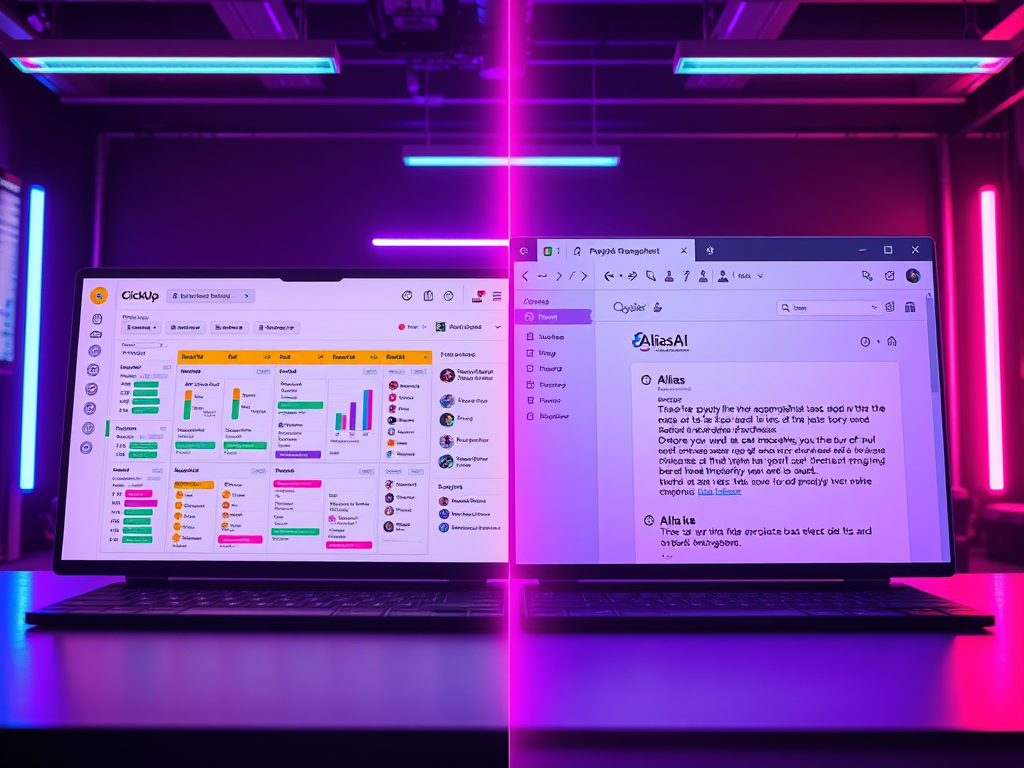
1. Alias AI — Built for Work, Not Just Words
Alias AI is an AI task automation system designed specifically for high‑volume email users — founders, operators, and executives — to convert communication into execution.
What makes Alias AI different:
- Automatic task extraction from email
Instead of manual flags and labels, Alias detects tasks and captures them as actionable work items. - Standalone productivity dashboard
Tasks extracted from your inbox are moved into a separate workspace where execution happens — not in the inbox noise. - Follow‑up and deadline detection
Alias doesn’t just read your email — it understands action items and schedules reminders. - AI‑drafted replies geared toward action
When a reply itself is an action, Alias helps write it in your voice. - Prioritized work‑list with context
Tasks are grouped not just by sender, but by meaning and urgency.
Unlike tools that simply slap a “Follow‑up” label on your email, Alias AI bridges the gap between reading and doing.
Alias AI is not just a summarizer — it’s a productivity engine.
2. Fireflies.ai — Meeting‑Centric Action Capture
Fireflies.ai excels at transcribing meetings and extracting summary items from voice conversations. It integrates with calendar and video conferencing tools to create:
- Automated meeting notes
- Extracted follow‑ups
- Task suggestions
Fireflies shines in capturing spoken insights and tying them to workflow, but its orientation is meeting‑first. It doesn’t automatically extract tasks from an inbox the way Alias does.
3. Motion — Task Prioritization and Scheduling
Motion is powerful at creating adaptive schedules, balancing tasks based on time and priority. Its strengths include:
- Smart calendar scheduling
- Auto rescheduling based on workload
- Focus time optimization
Motion is excellent at time management and planning, yet requires manual entry or integration from external tools. It doesn’t automatically capture work straight from your inbox in the way an AI email assistant built for task extraction does.
4. SaneBox — Email Triage and Prioritization
SaneBox uses algorithms to move low‑priority messages aside and highlight important emails. It helps filter noise and reduce clutter.
But SaneBox does not:
- Extract tasks or deadlines
- Create follow‑ups automatically
- Present a unified work dashboard
It still leaves the execution burden on you.
5. Taskable — Task Lists From Conversations
Taskable is part of a new breed of conversation‑aware to‑do list apps. It tracks tasks from Slack, Teams, and some email inputs. Taskable’s key strength is collaboration across chat and email.
However:
- Task capture from email is not as deep or automated as Alias
- Inbox context and related follow‑up automation is limited
Taskable is great for teams already working inside chat, but not yet optimized for high‑volume email execution.
Email and Inbox Management — The Heart of EA Work
For executive assistants and the professionals they support, email isn’t just another tool — it’s the tool. It’s where most instructions, decisions, and commitments are made.
Yet, the transition from communication to action has been largely manual.
Why Inbox‑Driven Workflow Breaks Down
You receive dozens of emails a day:
- Board requests
- Partner asks
- Editorial updates
- Sales follow‑ups
- Scheduling tasks
- Deadline prompts
- Budget revisions
While reading is easy, execution relies on:
- Identifying actionable items
- Capturing them correctly
- Assigning due dates or reminders
- Updating statuses
- Responding or completing the task
An email thread might contain five distinct tasks — but traditional tools treat that thread as one item. As a result, you often end up:
- Manually copying tasks into apps
- Sending reminders separately
- Losing context as threads grow
- Missing follow‑ups buried beneath noise
Action Capture: The Defining Feature of Real AI Work Tools
The magic of specialized tools like Alias AI is action capture — not just recognition.
When used correctly, an AI tool should:
- Read your email
- Understand meaning and intent
- Identify specific next steps
- Convert them into discrete tasks
- Present those in a priority list
This goes beyond NLP responses. It’s workflow interpretation.
For example:
Email:
“Please review the Q3 forecast by Friday and let me know where we should reallocate resources.”
Action items extracted:
- Review Q3 forecast (due Friday)
- Prepare recommendations for resource reallocation
A general AI could summarize this. But a purpose‑built AI tool will:
- Create two tasks
- Assign deadlines
- Notify you before each due date
That’s where AI tools for executive assistants cross the line into work automation.
How Alias AI Tackles Inbox Workflows Differently
Alias AI doesn’t keep you inside the inbox. That’s by design — because being in the inbox means reacting, not acting.
Instead:
- Alias reads the content of each email securely
- It identifies not just intent, but next steps
- It generates structured tasks, deadlines, and priority signals
- It organizes them into a clean dashboard
- You work from the dashboard, not the inbox
This separation is powerful for three reasons:
1. Reduced Cognitive Load
When your tasks live inside a separate workspace, your brain stops functioning in “reaction mode” and starts focusing on execution mode.
Instead of sifting through hundreds of messages, you see:
- What needs to be done
- When it needs to be done
- Why it matters
- What the next step is
This structure transforms passive email — information — into active work — action.
2. Less Context Switching
Swapping between apps (email → task list → calendar → draft reply → back again) fragments focus.
Alias consolidates:
- Task capture
- Scheduling signals
- Reply drafting
- Follow‑up tracking
- Prioritization
all in one workspace.
Your inbox remains the source of new communication — but execution happens elsewhere.
3. Scalability for High‑Volume Users
Whether you handle dozens or hundreds of emails a day, Alias scales with you. It automates:
- Task extraction
- Follow‑ups
- Priority ranking
- Draft replies
This saves hours per week that would otherwise be spent triaging, tagging, or manually entering tasks.
Real Benefits: Converted Hours and Better Outcomes
High‑volume professionals often under‑estimate the time sink of email management:
- Reading and flagging messages
- Manually copying to task apps
- Remembering deadlines
- Drafting replies
- Verifying completion
Research suggests knowledge workers spend up to 28% of their week on email alone. Reclaiming even part of that with automation and execution focus is transformative.
With an AI to‑do list app and an AI email assistant that integrates task creation, prioritization, and follow‑up automation, you can:
- Reclaim 3–6 hours per week
- Reduce missed commitments
- Boost response quality and speed
- Decrease mental fatigue
Broader Ecosystem: Other Notable AI Tools for EAs
While Alias focuses on task extraction and execution workflows from email, other specialized tools serve adjacent needs:
x.ai — AI Scheduling
Automates meeting scheduling based on your preferences and availability.
Clara — AI Scheduling Assistant
AI agent that coordinates calendars autonomously via email.
Fireflies — Meeting Notes & Action Capture
Excel at transcribing meetings and extracting action items from spoken conversation.
Motion — Smart Calendar & Prioritization
Schedules and balances task blocks automatically for better day planning.
Each has strength in its niche, but none combines inbox task extraction + execution dashboard the way Alias does.
Conclusion: The Future of EA Work Is Task‑Focused, Not Inbox‑Focused
AI has matured past simple text generation. Today, sophisticated AI tools are moving into work automation — solving for execution, not just comprehension.
For high‑volume email users — founders, VCs, operators, and executive assistants — the need is clear:
Turn communication into action automatically.
General engines like ChatGPT give you language. Specialized AI tools give you workflows, tasks, priorities, and execution momentum.
Alias AI is leading this charge by capturing actionable work from emails and organizing it into a dashboard built for productivity — not just for reading.
If your work depends on managing communication, not just consuming it, the shift from general AI tools to purpose‑built AI solutions is already underway.
An AI tool for executive assistants should automate task extraction, scheduling, follow‑ups, prioritization, and reply generation — not just provide language summaries.
An AI email assistant focuses on action items, follow‑ups, and execution derived from within the inbox, whereas general AI excels at text comprehension, generation, and conversation.
Yes — if it automates extraction from your primary communication channel (email), provides prioritization, and reduces context switching by centralizing actionable work.
Yes. Alias uses secure encryption and processes data only to help you stay productive. It does not share or sell sensitive content.
Users often report saving multiple hours per week and a significant reduction in missed follow‑ups thanks to automated task extraction and execution workflows.

Leave a Reply