AI Rewrite Drafts
Turn rough drafts into ready-to-send emails instantly.
AI Rewrite polishes your drafts with perfect grammar, tone, and context — so you can hit send faster.
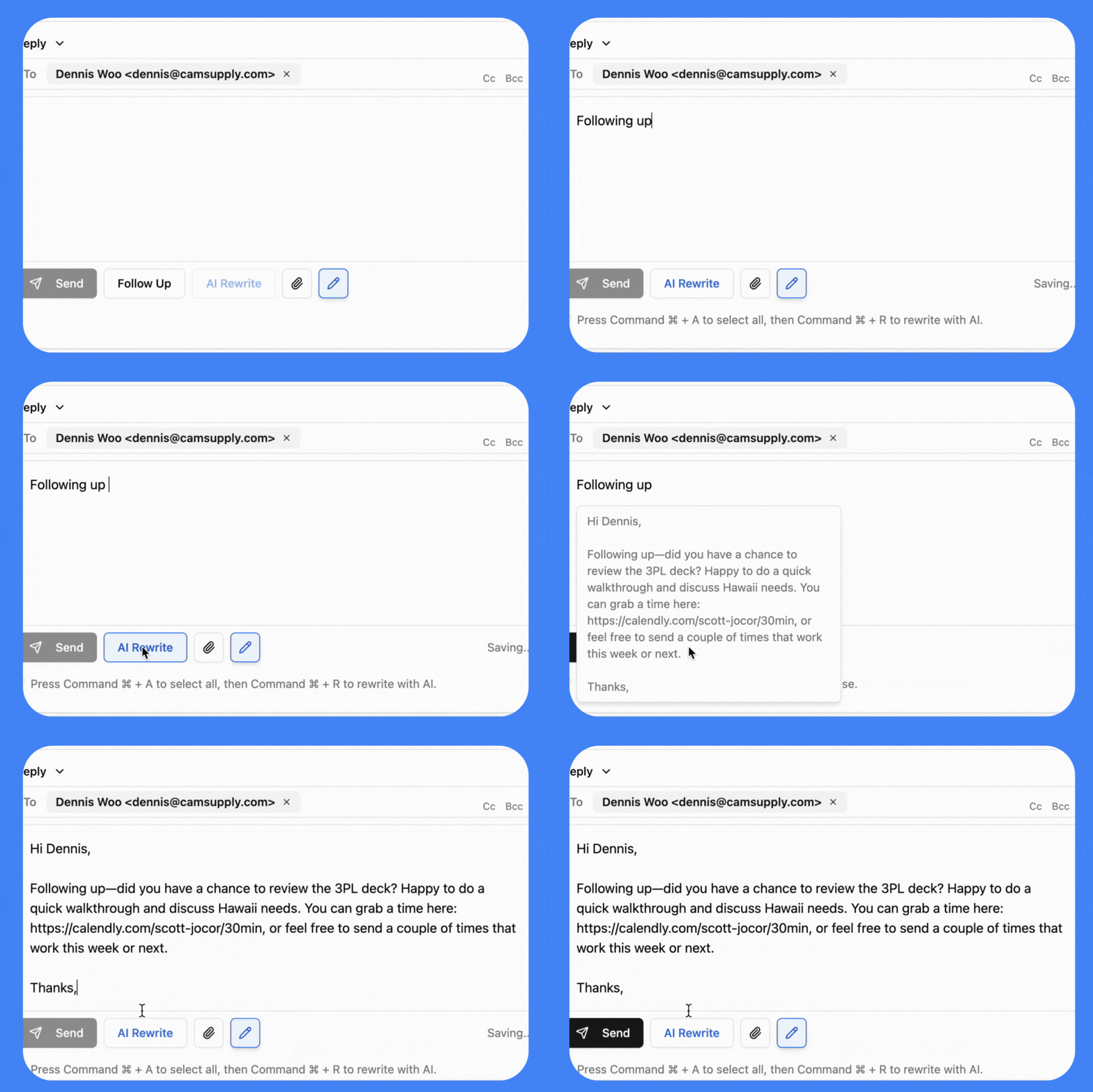
From draft to done — in seconds.
Email is where business happens, but writing clear, professional replies takes time. Drafting, editing, and re-reading every message slows you down — and small mistakes can cost you credibility. AI Rewrite speeds up the process by upgrading your drafts instantly, helping you stay consistent and professional without the effort.

Context-aware rewriting
Unlike generic AI tools, Rewrite understands your email context and past communication style, tailoring responses to your unique voice. It refines your message to be clear and concise, ensuring every word serves a purpose. By analyzing previous interactions, Rewrite enhances your communication, making it more effective and personal, fostering better connections with your recipients.
Tone-matching
Need a polished reply or a casual check-in? No problem! Our innovative rewrite feature adapts to your tone automatically, ensuring your message is perfect for any audience. With just a few clicks, enhance your communication while maintaining your unique voice. Say goodbye to the hassle of finding the right words; let us help you express yourself effortlessly.

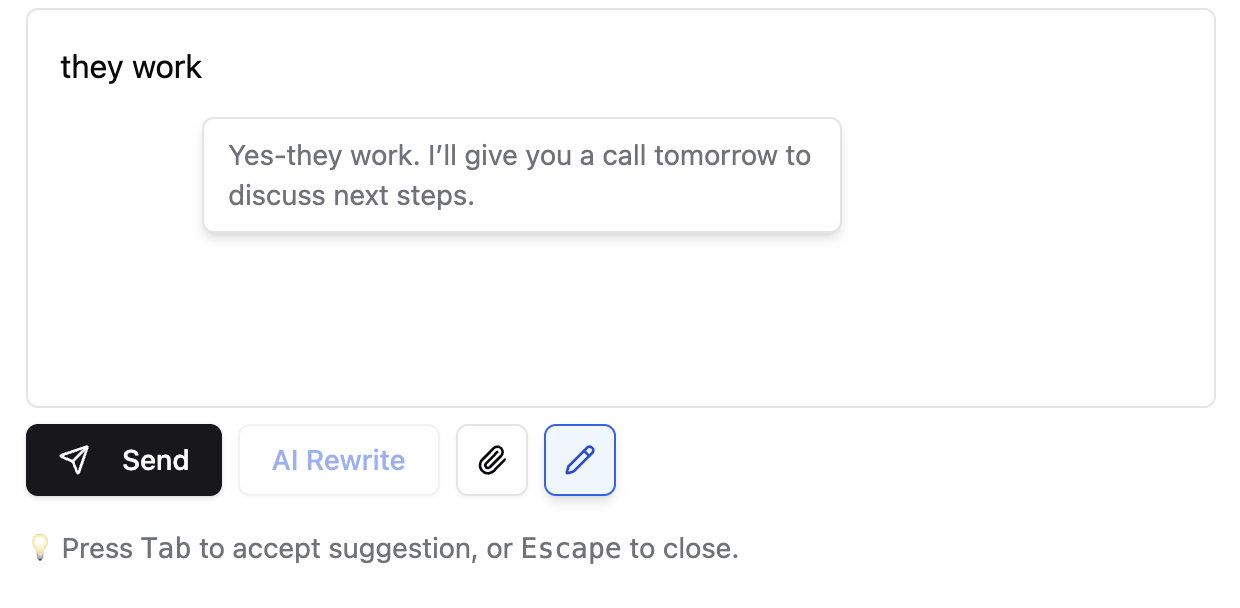
One-click Ai Rewrite
From your To-Do list, enter a small amount of context about the email you wish to draft and click AI Rewrite to transform your thoughts into an amazing email that reflects your tone and style. This intuitive process eliminates the need for copying or pasting, allowing you to focus on crafting the perfect message. With just a few clicks, you can enhance your communication, ensuring your emails are articulate, engaging, and well-structured, making your correspondence more effective.
One-click Follow Up
From the Follow-Up list, click Follow Up to transform your draft into a well-crafted follow-up email, incorporating context from the email you’re awaiting a reply on. This feature streamlines communication, ensuring no critical details are overlooked, and adds a personal touch. Follow-up emails save time in drafting repetitive messages while helping maintain professional relationships. Whether following up on a proposal or seeking feedback, this functionality conveys necessary context, facilitating quicker responses.


A New Way to Work
Find clarity in your inbox. Start your 7-day free trial today—no credit card required. Alias AI keeps you organized, responsive, and ahead of every opportunity.