

In 2026, an AI email assistant isn’t just a tool that summarizes messages. The best ones act like always-on AI agents that continuously turn email into an organized system: capturing tasks and follow-ups, prioritizing what matters today, and helping you reply faster in your tone—without hiring, training, or changing how you already use Gmail.
If you’ve ever thought, “I need a VA just to keep up,” this is the new alternative: a 24/7 AI task manager powered by your inbox.
Why inbox management breaks in 2026
Email didn’t get “worse.” Work did.
- More stakeholders per decision
- More threads per project
- More “quick asks” that quietly become deadlines
- More context scattered across replies, forwards, and side conversations
Most people still run the same outdated system:
- leave emails unread as “reminders”
- star messages as a to-do list
- search for things when it’s already urgent
- rely on memory (and anxiety) to bridge the gaps
A VA can help… but only if you can afford the cost, the ramp-up time, and the management overhead.
AI agents flip the model: you don’t train a person to manage your inbox—you use an AI email assistant that’s built to do it by default.
What is an “AI agent” for email?
An AI agent for email is a system that can:
- Understand what’s happening in a thread (who wants what, when, and why)
- Extract actions (tasks + follow-ups) from the conversation
- Organize and prioritize those actions into a daily view
- Help you execute by drafting replies and keeping the thread moving
Put simply:
A normal AI tool tells you what an email says.
An AI agent tells you what to do next and helps you do it.
That’s why the “agent” framing matters. In 2026, the winning approach is action-first, not summary-first.
What AI email agents do 24/7 (that a VA can’t)
1) They capture tasks and follow-ups continuously
A VA can miss things. Not because they’re bad—because they’re human and busy.
An AI email assistant is built to spot action patterns:
- “Can you send…”
- “Please review…”
- “Let’s schedule…”
- “Following up on…”
- “Just checking if you saw…”
The best systems convert these into two simple outputs:
- To-Dos: actions you owe
- Follow-Ups: threads waiting on someone else, but still your responsibility to push forward
This is where an AI task manager beats a human assistant: it doesn’t forget to look, doesn’t get distracted, and doesn’t “mean to come back to it.”
2) They prioritize without you building a new workflow
Traditional task managers force you to do extra work:
- manually create tasks
- assign due dates
- move things into a project tool
- keep it all updated
AI agents remove that overhead. You keep working in email the same way you already do, and the assistant builds the structure behind the scenes.
No new habit required. No “system rebuild.”
3) They create on-demand clarity (only when you ask)
This is the underrated superpower.
Instead of staring at 4,000 emails and trying to decide what matters, you can ask:
- “What are my top follow-ups today?”
- “What approvals am I blocking?”
- “What deadlines are inside my inbox this week?”
- “What did we promise the vendor?”
- “Summarize this project’s open loops”
AI agents don’t require you to “set things up.” You ask the question, and the workspace appears.
4) They draft replies in your tone (instantly)
A VA can write well—after training and iterations.
An AI agent can draft quickly, consistently, and on demand.
In 2026, reply speed isn’t just convenience—it’s leverage:
- faster approvals
- fewer bottlenecks
- cleaner expectations
- fewer “just checking in” loops
The best AI email assistants help you respond directly to threads without context switching.
5) They never clock out
Your inbox doesn’t stop at 5pm.
AI agents work:
- nights and weekends
- across time zones
- during travel
- during your “deep work” blocks
They can keep your task list current even when you’re not actively “doing inbox.”
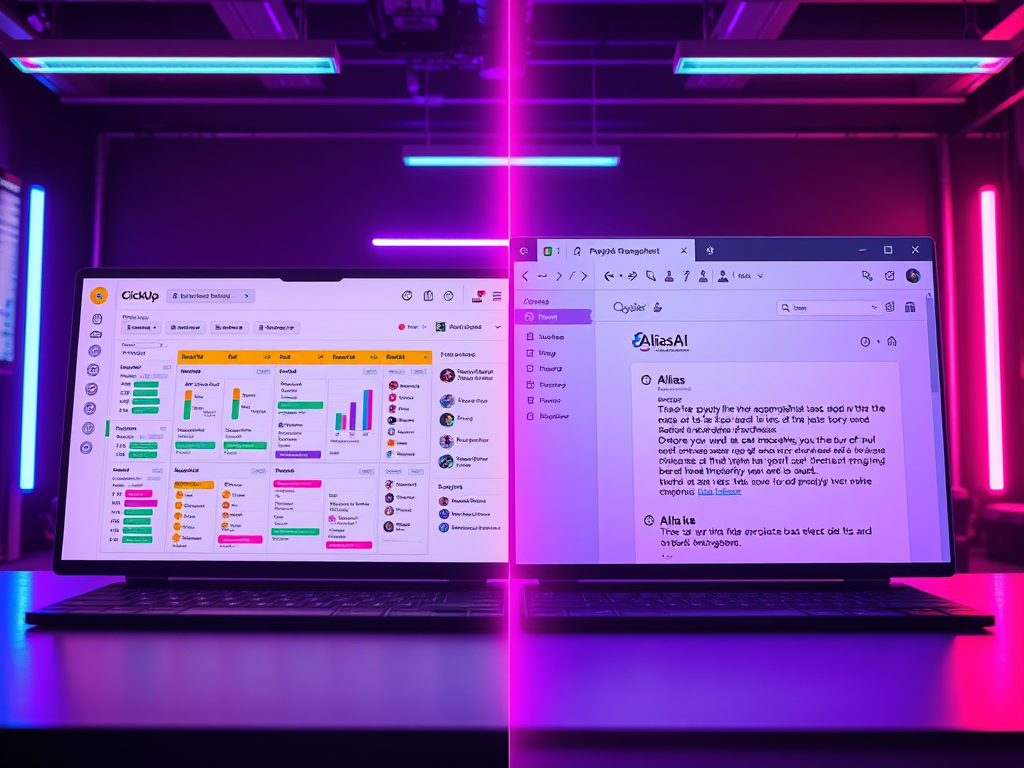
AI Email Assistant vs Virtual Assistant: the real comparison
| Category | AI Email Assistant | Virtual Assistant (VA) |
|---|---|---|
| Primary role | Turns email into organized tasks + follow-ups and helps you respond faster | Manages inbox and admin work based on instructions and ongoing direction |
| Availability | 24/7 (no time zones, no PTO) | Limited to working hours; coverage gaps with vacations/sick days |
| Ramp-up time | Immediate (no onboarding) | Days to weeks (onboarding, SOPs, training, feedback loops) |
| Training required | None (ask for what you need) | High (requires context, preferences, and processes) |
| Task capture | Automatic task + follow-up extraction from email threads | Manual capture; can miss items during busy periods |
| Consistency | Highly consistent outputs and behavior | Varies by person, workload, and experience |
| Speed | Instant sorting, prioritization, and draft replies | Fast once trained, but limited by bandwidth and queue |
| Cost efficiency | Predictable monthly cost; scales without additional headcount | Hourly or monthly retainer; cost grows as workload increases |
| Error risk | No fatigue; fewer “dropped ball” moments from overload | Human error possible (fatigue, context switching, misunderstanding) |
| Workflow disruption | Low (works with your existing inbox habits) | Medium (requires handoffs, instructions, and review) |
| Drafting replies | Generates drafts quickly, in your tone, on demand | Can draft well after training; tone consistency takes time |
| Best for | Founders, operators, execs with high email volume and lots of follow-ups | Teams needing broader admin support beyond email (calls, scheduling, errands) |
Here’s the honest breakdown most founders and operators feel (but don’t say out loud):
Virtual Assistant (VA)
Pros
- human judgment
- can handle non-email admin work too
Cons
- hiring + onboarding time
- training and ongoing management
- inconsistent quality unless you invest in SOPs
- errors from fatigue, context overload, or misinterpretation
- coverage gaps (time off, timezone mismatch)
AI Email Assistant (AI Agent)
Pros
- always on
- consistent behavior
- no training required to start
- cost efficient at scale
- turns email into an AI task manager automatically
Cons
- best results come from regular use
- you still make final decisions on sensitive replies (as you should)
If you only need inbox execution—tasks, follow-ups, drafting, prioritization—an AI email assistant is the first “hire” that doesn’t require managing.
What Alias AI does differently
Alias AI is designed to behave like an AI email assistant + AI task manager in one place.
Instead of giving you another dashboard you have to maintain, Alias AI focuses on one promise:
Your inbox becomes an action system.
With Alias AI, you can:
- Automatically capture to-dos and follow-ups from email conversations
- Ask for exactly what you need (top priorities, urgent threads, stuck approvals)
- Respond directly to email threads from a single productivity hub
- Draft replies in your tone so you can move fast without sounding robotic
- Keep your current workflow (you don’t have to reorganize your life to get value)
The goal isn’t to “summarize your inbox.”
The goal is to run your day from it—without the stress.
A simple 2026 workflow: 10 minutes a day
If you want inbox control without living in email, try this:
Morning (5 minutes)
- Ask your AI email assistant: “What are my top priorities today?”
- Skim the list of tasks + follow-ups
- Knock out the fastest “unblocks” first (approvals, confirmations, quick decisions)
Midday (3 minutes)
Ask: “What am I waiting on that needs a follow-up?”
Send 2–5 short nudges. Most projects move forward here.
End of day (2 minutes)
Ask: “Anything urgent I didn’t respond to?”
Close loops. Sleep better.
That’s it. No inbox zero fantasy. Just control.
Ready to try an AI email agent that acts like an AI task manager?
If you’re still paying (or considering paying) for inbox labor, try a different approach:
Alias AI is a chat-based AI email assistant that automatically captures tasks and follow-ups and helps you respond faster—without training, without workflow changes, and without the overhead of managing a VA.
Try Alias AI and see what it feels like when your inbox finally works for you.
Do AI email assistants replace virtual assistants?
For inbox-based work—task capture, follow-ups, prioritization, and drafts—often yes. If you also need human-only work (phone calls, vendor coordination outside email, calendar wrangling across multiple people), you may still want a VA. Many teams start with an AI email assistant first because it removes the daily pressure immediately.
Can an AI email assistant work without training?
A good one can deliver value immediately because it’s built around universal patterns in email: requests, commitments, deadlines, and waiting states. You shouldn’t need weeks of SOPs just to stop missing follow-ups.
Do I need to change my workflow to use an AI task manager powered by email?
You shouldn’t. The whole point is that email is already where the work arrives. An AI email assistant should adapt to your inbox—not force you into a new system.
Are AI agents for email secure?
Alias AI is CASA Teir 2 certified. That means it has been audited by an independant third party security company who valididates the security. Security depends on the provider and permissions model. The right approach is least-privilege access, clear data handling practices, and transparent controls. (If you’re evaluating tools, this should be on your checklist.) Be sure to verify your AI Email Assistant has been audited for security verification.
What’s the biggest benefit?
It’s not just “saving time.” It’s removing mental load. When tasks and follow-ups are reliably captured and prioritized, you stop carrying your inbox in your head.

Leave a Reply