Thread Grouping
All related conversations, grouped together
AI automatically links connected threads so you never lose context or waste time searching your inbox for another related thread.
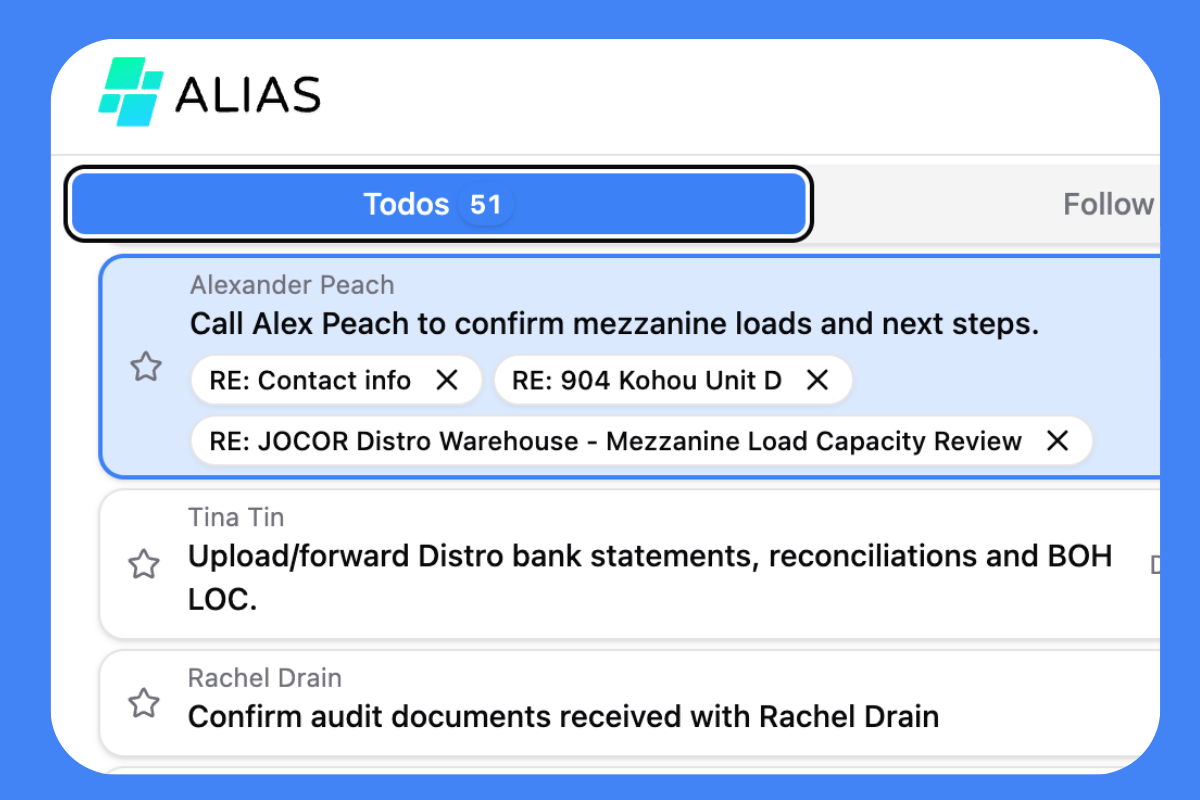
Stop wasting time searching for related emails.
Important conversations rarely stay in a single thread. Proposals, estimates, and project updates often splinter across different email chains, leaving you digging through your inbox to connect the dots. AI Thread Grouping solves this by automatically linking related conversations into one unified view, so you always see the full picture.
AI-powered linking
Alias scans your inbox to detect related emails, analyzing their content and metadata. By using advanced algorithms, it identifies connections between conversations and automatically groups matched threads, creating a cohesive flow that reduces confusion and enhances productivity.
Unified project view
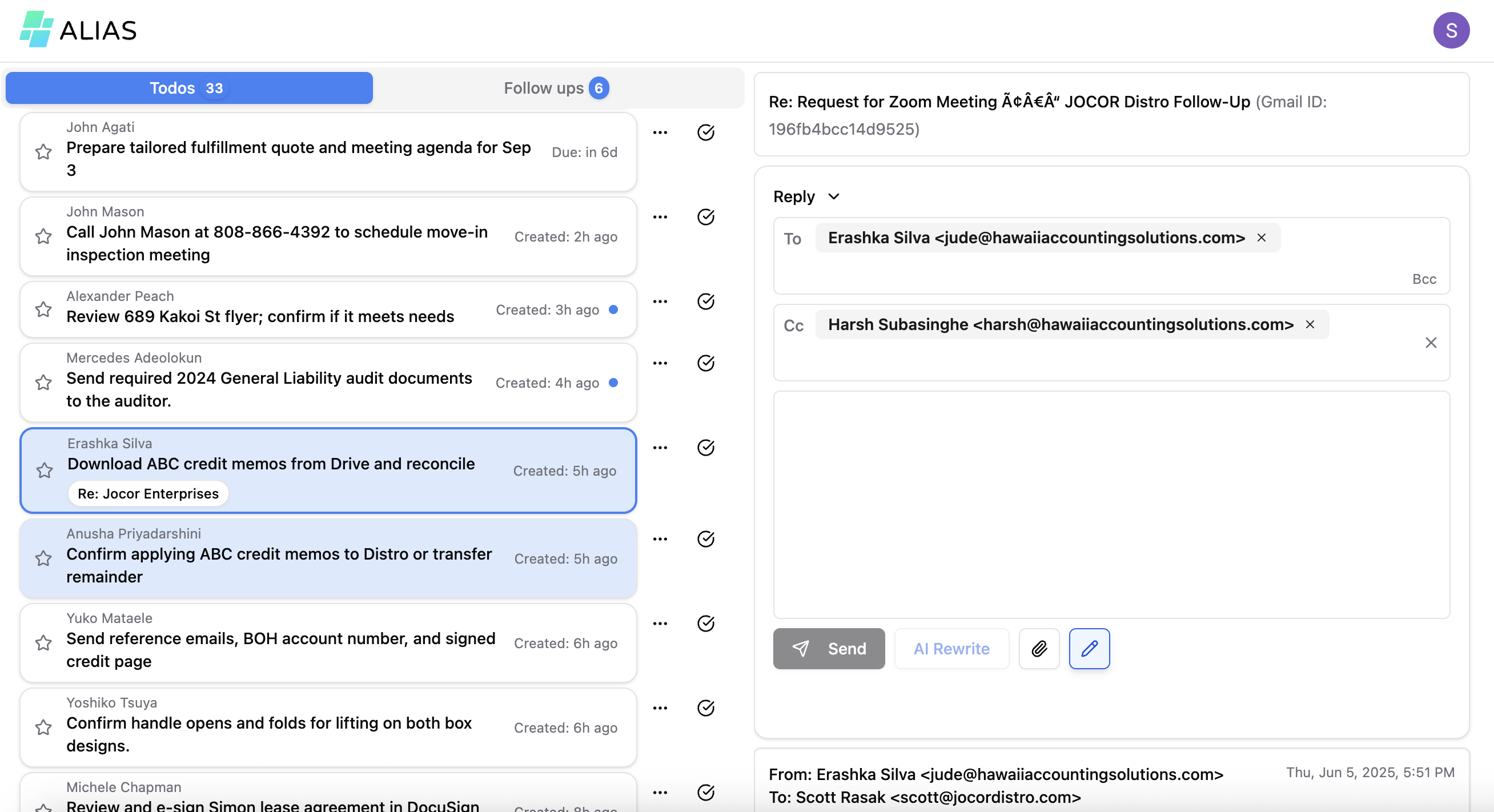
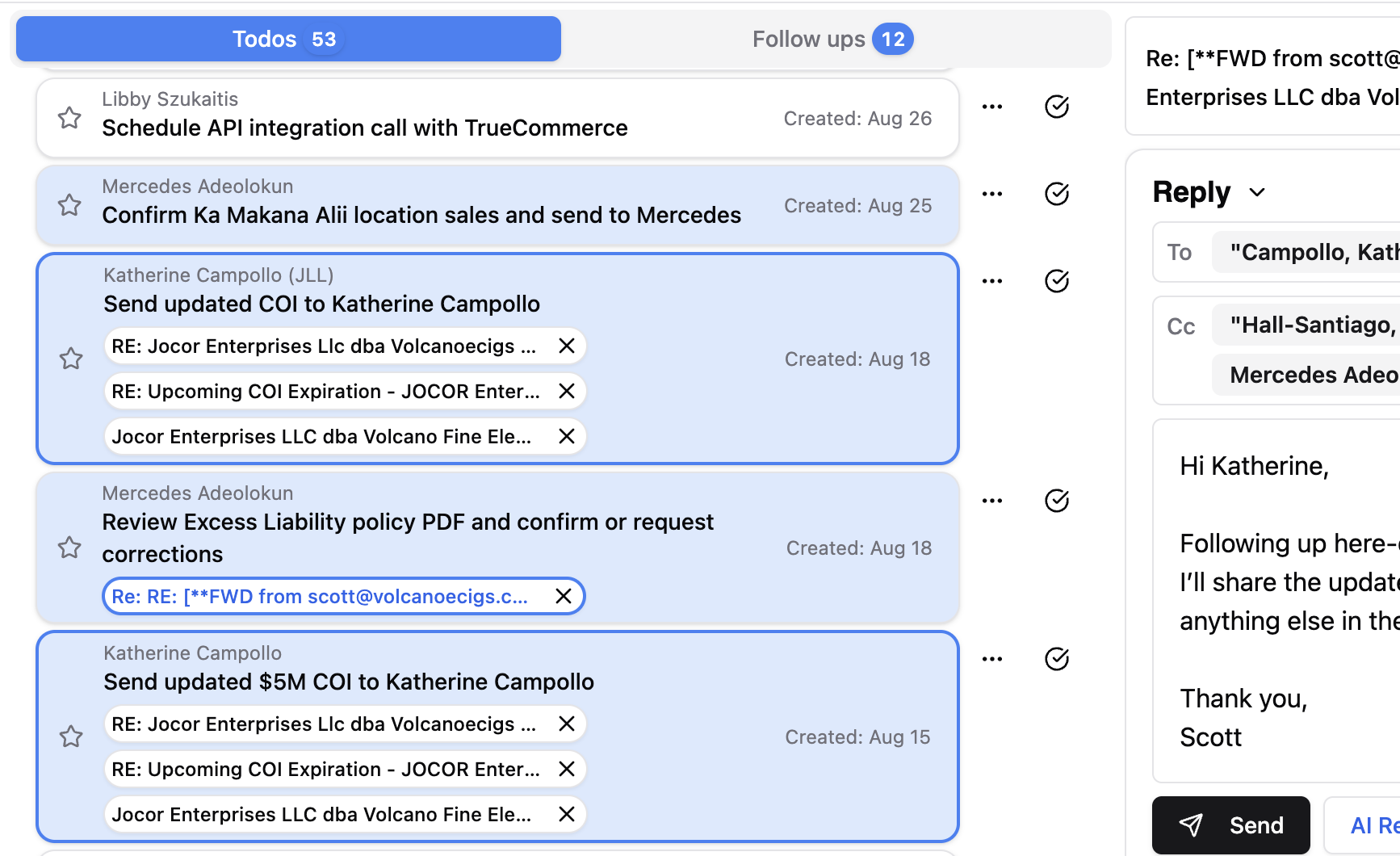
Grouped threads appear side by side in your To-Do list, providing a view of connected conversations. This organization streamlines your workflow and enhances productivity by reducing time spent searching for messages. With everything in one place, you can follow project updates easily, helping you stay informed and make timely decisions. Collaborating with team members becomes smoother, fostering a cooperative environment where ideas can flourish.

Reply in context
With all related emails linked, you can effortlessly reply to any connected thread from the grouped view. This approach eliminates the need for switching between windows, helping you stay focused and organized while ensuring no vital context is overlooked. By integrating all correspondence into a cohesive interface, you enhance productivity and easily track conversations without losing sight of important details.

A New Way to Work
Find clarity in your inbox. Start your 7-day free trial today—no credit card required. Alias AI keeps you organized, responsive, and ahead of every opportunity.