
Turn email into a live task list, instantly.
Ask your personal AI email assistant what you want to work on, and Alias generates an on-demand to-do list (an “instant workspace”) from your email context—so you always see what matters right now.
AI To Do List
Your to-do list shouldn’t be static
Most “AI to-do list apps” still behave like a checklist. Alias is different: you chat to generate the exact list you need in the moment from Gmail—then take action directly from the list.
Simply the best AI to-do list app
Manually tracking tasks from your Gmail inbox is time-consuming and error-prone. Important work gets lost in messy threads, and you end up copying notes into yet another app. With Alias AI, your To-Do list is built for you the moment you open an email, giving you clarity and control without the extra work. Save 4+ hours a week with the best ai to do list.
Instant Workspaces (Chat → To-Do List)
“What bills do I have to pay?”
“Plan my day — I like deep work in the mornings and take a 1-hour lunch at 12:30pm.”
“What do I need to reply to today?”
“Show me tasks related to the new lease I’m signing.”
“What can I close out in under 15 minutes?”


AI To Do List
Alias turns chat requests into dynamic, instant workspaces—not just a list of tasks, but a focused view of what matters for this moment.
Examples of instant workspaces you can generate:
- Bills & finance: “What invoices, bills, or payment requests are waiting on me?”
- Daily plan: “Build a schedule for today with deep work blocks, meetings, and a 12:30 lunch.”
- Client / vendor mode: “Show me everything I owe [person/company] this week.”
- Operations: “What approvals or decisions are stuck in email threads?”
- Follow-ups: “What am I waiting on, and who hasn’t replied?”
Result: A clean, prioritized to-do list that updates as your context changes.
Instant Task Capture (Email Context → Action Items)
Every time you open an email, Alias reads the context and decides what matters—then captures tasks automatically. No copying, no “did I miss something?” anxiety.
How it works:
- Detects real action items (asks, commitments, next steps)
- Understands context so low-value threads don’t pollute your list
- Keeps the output focused on what you can actually do next
The goal isn’t “more tasks.” It’s the right tasks, surfaced at the right moment.
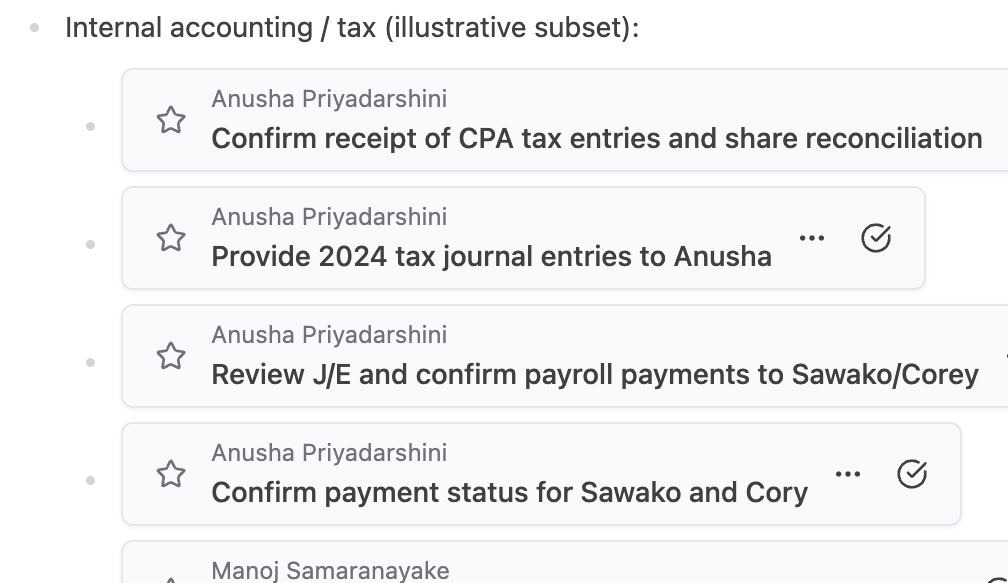

Ignore sender lists
Not every email deserves your attention. With Ignore Sender List, you can tell Alias to permanently skip tasks from unwanted senders — so no spam, newsletters, or irrelevant updates ever clutter your To-Do list again. You can easily access the list from your admin panel if you wish to remove someone from this list.
A Live, Actionable To-Do List (Reply Without Going Back)
This isn’t a passive checklist. It’s an active list you can work from.
- Click a to-do
- Read the original email context
- Reply directly from the task view
- Alias syncs it back to your email thread so everything stays connected
- Let Alias Draft your email reply with AI Rewrite
Stay in flow: No tab switching, no digging for threads, no returning to Gmail just to respond.
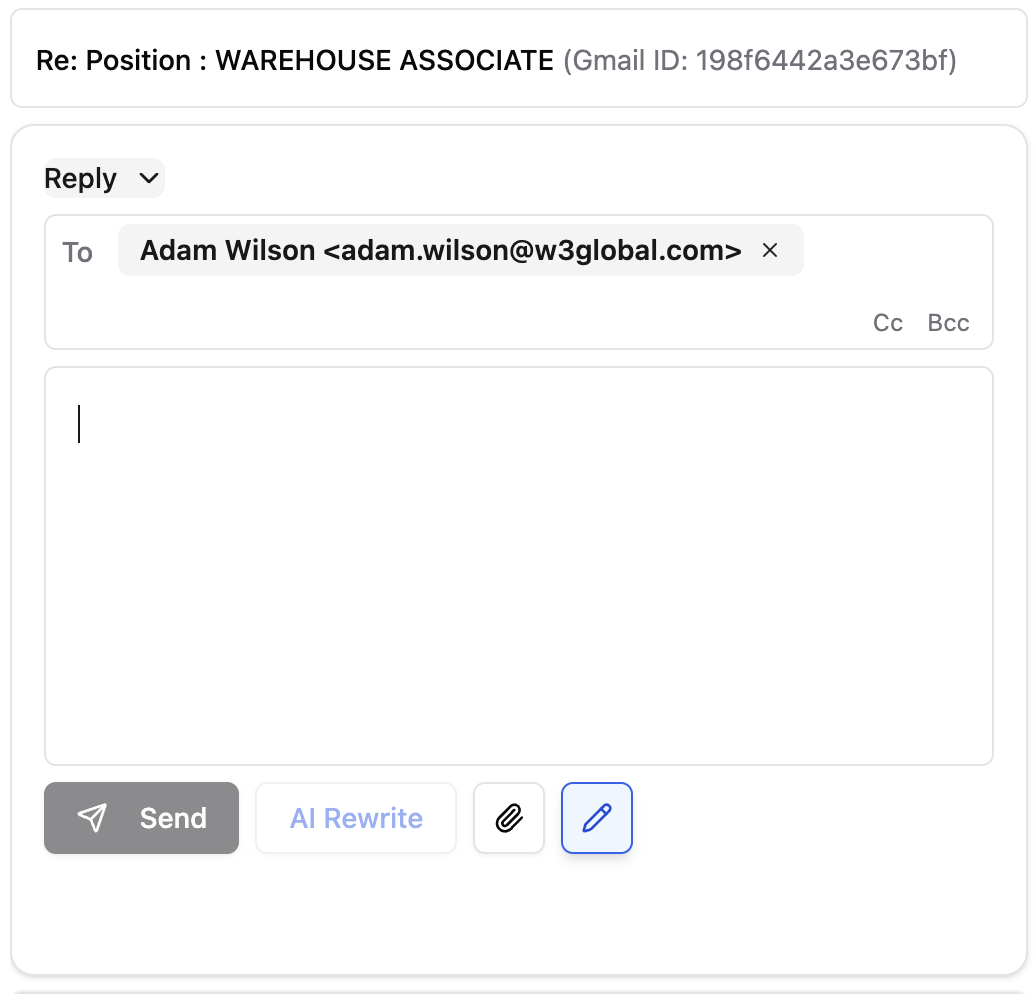

How it works
Execute from the list
Reply directly from the list view without needing to go back to Gmail, resolve the task, and move on all from one view.
Why an AI to-do list app matters?
An AI to do list powered by an AI email assistant and AI task manager automatically extracts actions from email, assigns smart due dates, and keeps tasks and follow-ups prioritized in one place.
An AI to do list turns your opened emails into prioritized tasks and follow-ups automatically—so you finish work faster and stop missing commitments. An AI email assistant extracts actions, sets smart due dates, and an AI task manager keeps everything organized in one place.
Benefits at a glance
- Capture everything automatically: The AI email assistant detects asks, promises, and dates in opened threads and adds them to your AI to do list—no manual copying.
- Always know what’s next: Smart due dates and priority rules make your AI task manager surface the next best action.
- Close loops faster: Draft replies and schedule nudges from the task card; turn every “Can you…?” into a tracked follow-up.
- Stay organized without effort: Tasks and follow-ups live in one hub with context from the original email.
- Reduce busywork: No labels, forwarding, or rules; open an email and the system does the rest.
What gets created (extractable facts)
- Task types: To-Dos you owe; Follow-Ups others owe you.
- Timing: Smart due dates from phrases like “by Friday” or specific dates.
- Actions: One-click reply or send from the task card.
- Scope: Focus on opened Gmail emails to keep the list relevant.
Who benefits most:
Agencies & teams: Centralize asks across clients without changing how you email.
Sales & success: Never drop customer follow-ups; respond faster.
Founders & operators: Turn inbox chaos into a clear plan for today.
AI To-do list
Frequently Asked Questions?
Get clear answers about how our AI to-do list works and how the AI email assistant builds it automatically.
What is an AI to-do list in Alias AI?
An AI to-do list is a task list that Alias AI builds automatically by extracting action items from your opened Gmail threads, assigning smart due dates, and organizing them for you.
How does the AI email assistant decide what becomes a task?
It detects commitments you make, requests others ask of you, and dates mentioned in the thread; those become tasks or follow-ups in your list automatically with AI.
Does Alias create tasks only from opened emails?
Yes—Alias focuses on opened Gmail emails so your list stays relevant and uncluttered. Even if you open a SPAM email, Alias AI will detect its low value content and not inject that into the AI created to-do list.
How are due dates set on my AI to-do list?
Alias applies “smart due dates” using phrasing and context (e.g., “by Friday,” “next week”), which you can edit anytime.
Can I edit or remove tasks the AI creates?
Yes—mark done, change text, adjust dates, or delete with one click in the Productivity Hub.
What’s the difference between the To-Do List and the Follow-Up List?
To-Do covers actions you owe; Follow-Up tracks replies others owe you and schedules nudges. Both are generated automatically.
A New Way to Work
Find clarity in your inbox. Start your 7-day free trial today—no credit card required. Alias AI keeps you organized, responsive, and ahead of every opportunity.