

An AI to-do list app automatically turns emails and messages into prioritized tasks with owners, due dates, and live updates. A traditional task manager relies on manual entry and manual upkeep. If your work lives in the inbox, AI saves hours weekly by capturing action items and follow-ups without copy-paste.
Why this comparison matters
Most knowledge work now flows through email (and adjacent channels like calendar invites, support platforms, and CRMs). Traditional task managers evolved for manual planning: you add tasks, set dates, and hope everyone keeps things updated. That workflow breaks down when your action items are buried in threads and replies.
An AI to-do list app flips the model: instead of you feeding tasks into the system, the system reads your inbox, extracts action items, labels owners and deadlines, de-duplicates across threads, and updates tasks as new emails arrive. You manage the work at the destination—one living list—without retyping the source content.
This guide explains where AI to-do list apps outperform traditional tools, when a traditional manager is still perfectly fine, and how to decide based on accuracy, cost, and time-to-value.
Definitions
Traditional task manager: A list or project tool requiring manual entry and manual updates (e.g., create task → set due date → paste thread URL). Some offer rules or integrations but still depend on users to push information in.
AI to-do list app: Software that automatically turns unstructured communication (especially email) into structured tasks. It identifies action items, due dates, and responsible parties; links tasks back to the original threads; and keeps tasks fresh as emails continue.
Core differences at a glance
| Capability | Traditional | AI |
|---|---|---|
| Task creation | Manual entry; tasks often lag behind the inbox. | Automatic extraction from new and existing emails; zero retyping. |
| Task freshness | Quickly diverges from reality unless everyone updates diligently. | Live updates as threads evolve (status, dates, owners). |
| Signal vs. noise | Everything looks equal until you triage; easy to drown in lists. | Priority influenced by sender, intent, commitment language, due dates, and thread context. |
| Follow-ups | You set manual reminders; easy to miss. | Auto-nudge rules (e.g., “if no reply in 3 days, resurface”), plus draft assistance. |
| Traceability | Linked rarely; context lives elsewhere. | Every task is anchored to the original email; one click to the source. |
| Multi-inbox reality | Multiple copying, inconsistent tagging. | Unified task layer across inboxes and participants. |
A practical lens: where the time really goes
For most teams, the hidden costs aren’t in “making plans”—they’re in finding the action items, re-stating them in a task system, and remembering to circle back. Those steps look like this:
- Hunting: Scan threads to locate decisions, asks, and deadlines.
- Transcribing: Paste highlights into the task system; retype dates, cc’d names.
- Chasing: Set manual reminders and follow-ups.
- Correcting: When the email evolves, you update the task—if you remember.
- Reconciling: Keep the task list aligned with reality during the week.
An AI to-do list app automates 1–4 and dramatically reduces 5.
| Capability | AI To-Do List App | Traditional Task Manager | Why it matters |
|---|---|---|---|
| Email → Task extraction | Automatic (intent, dates, owners) | Manual copy-paste | Eliminates retyping and human error |
| Thread-aware updates | Updates tasks as emails change | Manual maintenance | Keeps reality in sync |
| Deduplication | Merges repeat asks across threads | Manual merging | Prevents double work |
| Priority logic | Weighs sender, commitment, due date | Flat until you tag | Surfaces the true “must-do” |
| Follow-up nudges | Auto reminders if no reply | Manual reminders | Reduces dropped balls |
| Reply from the list | Draft/send within the task | Switch to email app | Cuts context switching |
| Owner detection | Suggests responsible person | Manual assignment | Speeds delegation |
| Date extraction | Parses explicit & relative dates | Manual dates | Fewer missed deadlines |
| Audit trail | Email ↔ task linkage | Often detached | Faster reviews & status checks |
| Onboarding | Connect inbox; go | Team taxonomy & rituals | Faster time-to-value |
Extraction quality: how to tell if the AI is good enough
How to tell if the AI is actually helping
Good extraction isn’t luck—you can spot it with a few common-sense checks:
“What’s the cost of being wrong?”
If it adds a fake task, you waste a little time. If it misses a real one, you might blow a deadline. Your setup should minimize the second risk first.
“Did it pick the right things?”
When the AI turns emails into tasks, most of those tasks should be real and useful—not busywork.
“Did it miss anything important?”
Scan your inbox after the AI runs. The big asks and deadlines should already be on your list.
“Overall, does it feel dependable?”
Taken together, it should rarely add junk and rarely overlook real work. You should trust it more each week.
Cost vs. value: a quick ROI model
A simple ROI model beats vague promises. Estimate:
- Minutes saved per person per workday:
- Manual triage avoided (5–15 min)
- Re-typing into tasks avoided (5–10 min)
- Follow-up bookkeeping avoided (5–10 min)
- Context switching reduced (5–10 min)
Typical range: 20–45 minutes/day
- Value of time: Effective hourly rate (salary + benefits + overhead) / 160 hrs.
- Monthly value per person:
Minutes saved/day×Workdays/month×60Hourly rate - Subscription cost: Per-seat fee.
- Break-even: When monthly value > monthly cost. Many teams see break-even in 1–3 weeks if they live in email.
Hidden multipliers
- Fewer missed commitments (customer trust, revenue protection)
- Faster cycle times (deals, approvals, deployments)
- Cleaner audits (time saved during reviews and QBRs)
When a Traditional task manager still wins
- Project planning with complex dependencies and Gantt-style roadmaps (multi-quarter programs).
- Static process checklists where tasks change rarely.
- Infrequent email usage (your work originates in code, tickets, or field ops systems).
- Heavily regulated flows where you must use a system of record that is not your inbox.
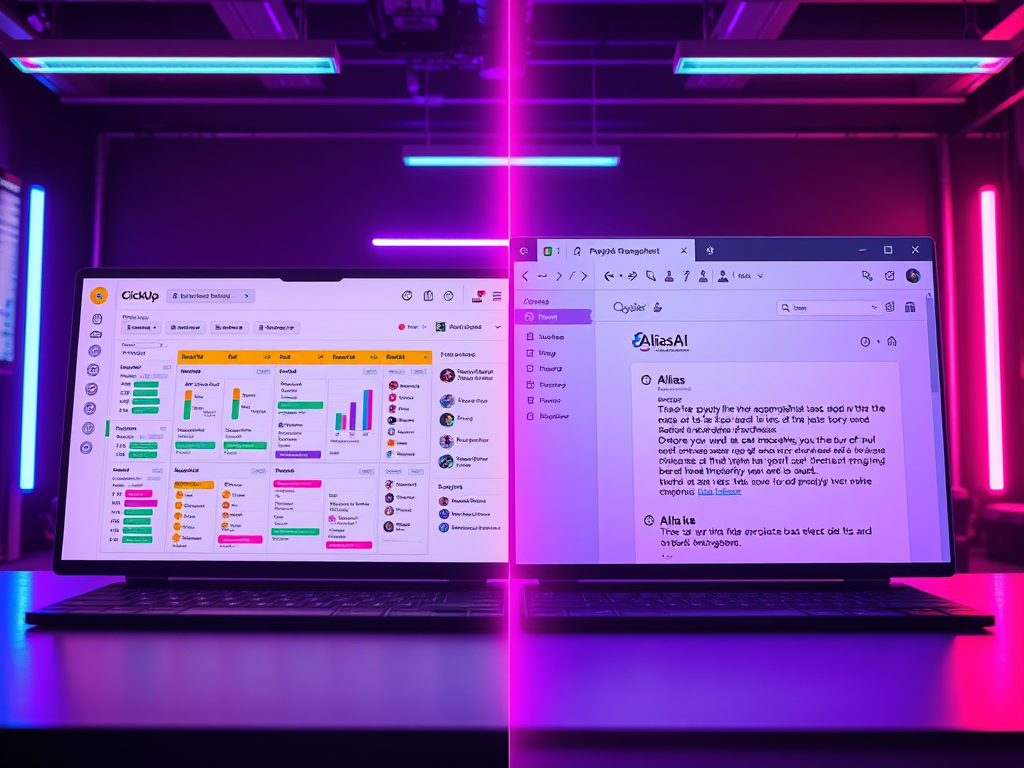
In many cases, the best setup is hybrid: your AI to-do list app handles inbound work from email, while your traditional manager handles structured project plans. Link them lightly or use a single “work hub” with two lanes: Inbox-driven tasks and Planned projects.
What good looks like: (workflow blueprint)
- Connect inbox(es): Start with the accounts that generate the most task volume.
- Enable extraction: Turn on auto-capture for opened or starred emails and common intent patterns (approve, decide, send, schedule).
- Set follow-up rules: “Resurface tasks if no reply in 48–72 hours,” “Re-notify owner the morning of the due date.”
- Review queue: Spend 5 minutes daily confirming edge cases; the model learns quickly.
- Work from the list: Reply or complete tasks without leaving the hub; update status in one place.
- Weekly audit: Scan overdue items, collapsed threads, and recurring asks you can template.
Frequently Asked Questions:
It’s a tool that converts emails and messages into structured tasks automatically—capturing owners, dates, and priorities—then keeps those tasks in sync as threads evolve.
Traditional tools depend on manual entry and manual upkeep. AI tools automate intake, updates, follow-ups, and prioritization so your list reflects reality without constant retyping.
It detects intent (“please send,” “can you confirm”), parses dates and times (including relative phrases), recognizes owners and recipients, and links tasks back to the source thread for context.
Any automated system can. The important part is precision/recall metrics, clear controls to reduce false positives, and a fast review loop to correct edge cases. Quality should improve over time.
Best-in-class apps let you draft and send directly from the task card. That eliminates tab-hopping and preserves the audit trail.
Look for least-privilege access (scopes limited to what’s necessary), encryption, admin controls, retention settings, and exportable logs.
Run the ROI math: if you save 20–45 minutes per person per day, the subscription typically pays for itself within the first month—often the first two weeks.
Yes. Many teams use AI for inbound, email-originating work and keep their traditional manager for planned projects with dependencies. A light integration or periodic review connects the two.
| Feature | AI To-Do List App | Traditional Task Manager |
|---|---|---|
| Email task extraction | Yes (automatic) | No (manual) |
| Live thread sync | Yes | Limited/Manual |
| Reply from task | Yes | Rare |
| Auto follow-ups | Yes | Manual |
| Owner & date detection | Yes | Manual |
| Priority signals | Yes | Manual |
| Audit trail (email ↔ task) | Yes | Partial |
| Best for | Inbox-driven work | Planned projects |
Real-world scenarios
Sales
- Incoming lead asks for a proposal by Friday → AI creates a task, assigns the AE, sets due Friday, and nudges if no customer reply.
Value: Faster turnaround, fewer missed deals.
Customer support / e-commerce
- “Where is my order?” and return requests → AI categorizes intent, attaches order number, and creates a task with SLA.
Value: Shorter first-response times, higher CSAT.
Operations / purchasing
- Vendor quotes and ship notices → AI captures quantities, delivery windows, and exceptions.
Value: Fewer delays, better inventory timing.
Leadership / general management
- Board requests and partner intros → AI flags commitments and schedules follow-ups.
Value: Clearer priorities, reliable follow-through.
Decision tree (quick pick)
- Do 60%+ of your tasks originate in email?
- Yes: Start with an AI to-do list app; keep your project tool for planned work.
- No: A traditional manager may suffice, with selective AI for heavy inbox roles.
- Do tasks often go stale in your current tool?
- Yes: You need thread-aware updates.
- No: Your rituals might be strong enough already.
- Do missed follow-ups have high cost?
- Yes: Auto-nudges and reply-in-task are essential.
- No: Manual reminders may be okay.
The bottom line
If your day runs through your inbox, a true AI to-do list app isn’t a “nice-to-have”—it’s the new baseline. Automatic extraction, thread-aware updates, and built-in follow-ups collapse a half-dozen small chores into a single, reliable workflow. Traditional managers still shine for planned, long-horizon projects, but they’re not designed to mine action from messy threads.
Pair the two if you must—but make the AI list your first screen each morning. Your time, attention, and outcomes will thank you. Try Alias AI free for 7 Days to experience the difference.

Leave a Reply